
CRM for accounting firms
An accounting CRM that shows who is waiting on an engagement letter before tax season
From January to April, inquiries arrive faster than you can answer them. honestcrm is a free accounting CRM for solo accountants and small firms that gives each one a place on a board and a next step, then keeps the same clients in view after the filing deadline. It is a CRM with unlimited users, so seasonal staff and bookkeepers get a login too.
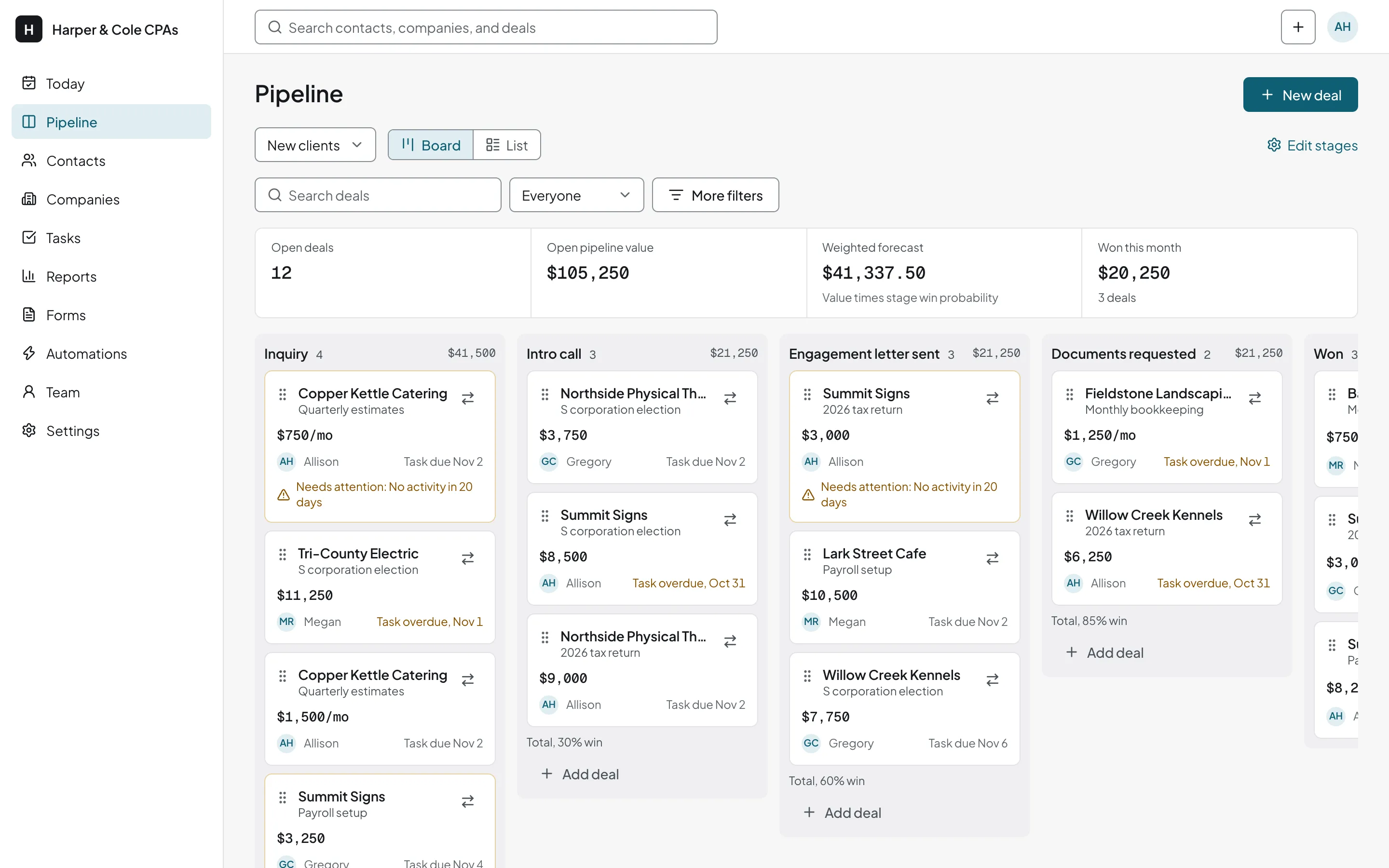
A CRM for accounting firms that tracks new clients in season and returning clients after
The New clients board runs from Inquiry through Engagement letter sent and Documents requested, as in the screenshot above. Returning clients and referrals get boards of their own, so a prior-year client never sits between two February inquiries.
- 1
Prior-year client
- 2
Check-in sent
- 3
Meeting booked
- 1
Referred
- 2
Intro made
Letter sent in February, documents still missing in March
After the intro call you send the engagement letter. By March that client is one of forty open conversations, and it is hard to tell which ones wait on you and which wait on the client.
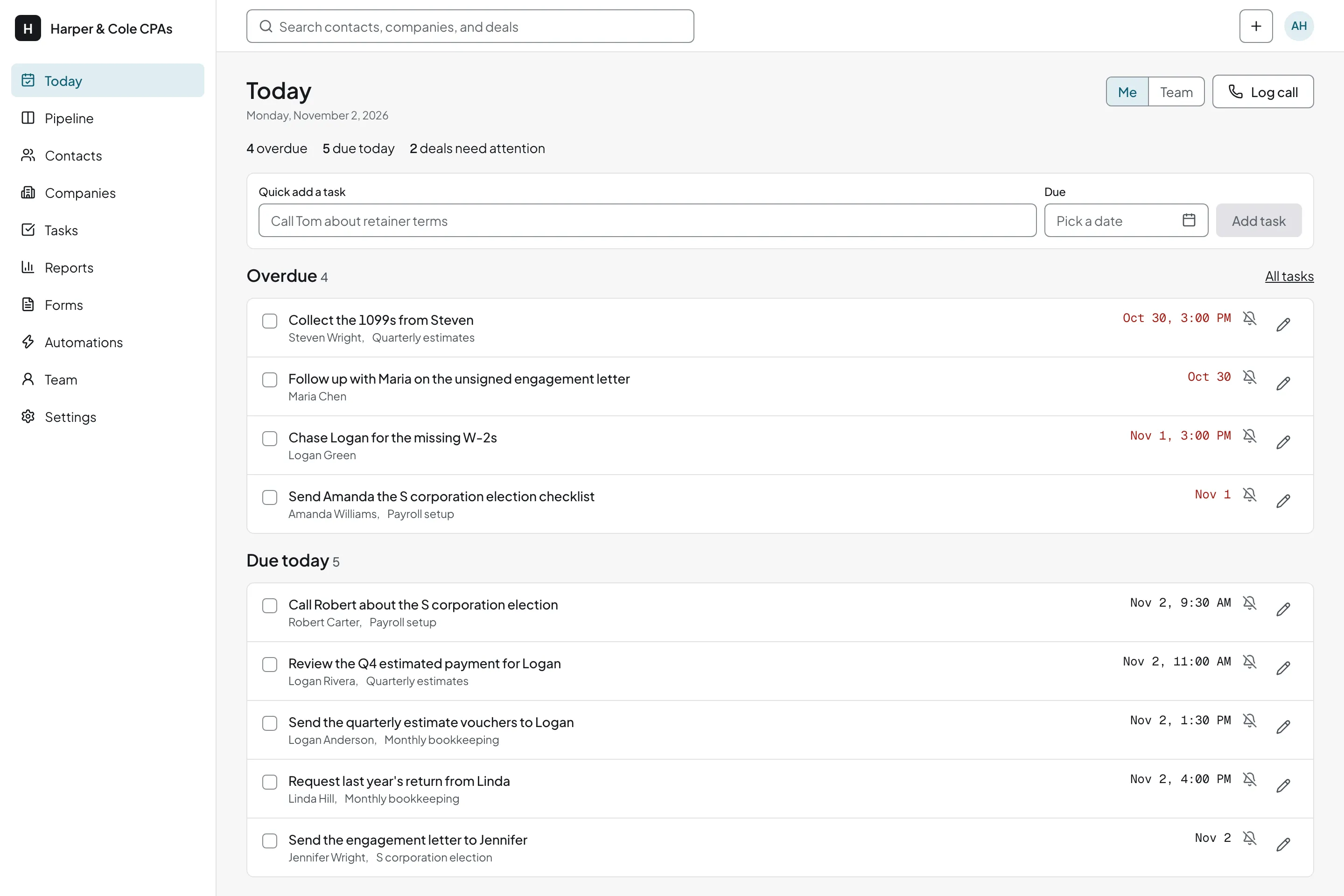
A deal in Engagement letter sent gets a task three days out. Once the letter is signed, the deal moves to Documents requested with a new task, so a client who has not sent their W-2s still has a date next to their name.
Start with the client list you already keep
Import from your sheet
Load the spreadsheet of past clients. Duplicate detection and merge handle the person listed twice. See also customer database software.
Fields for what you always ask
Add custom fields for entity type, fiscal year-end, or services used, and tag clients by what you do for them.
Tax returns and retainers
Give a deal a one-time amount for a tax return, or a monthly amount for a bookkeeping retainer.
What happens to the client list in May
Once the deadline passes, move finished clients to the Returning clients board and set a task for when you want to hear from them again: a mid-year planning call, or a reminder about next year's estimated payment dates.
Note the lead source on each deal. A client referral, a banker, and your website each show up in the totals, so you see which one fills your January.
Put an inquiry form on your site
Each submission becomes a contact and a deal in your first stage, so the inquiry that arrives at 9 p.m. is on the board the next morning. Forms cost nothing on the Free plan.
Related guides
- Financial advisor CRM
Another firm that works by appointment: discovery meetings, proposals, and yearly reviews.
- Agency CRM
Pitches and retainers for a different kind of professional services shop.
- How to build a sales pipeline
How to choose pipeline stages and write the rule for leaving each one.
CRM for accountants questions
Does it work with Outlook?
Yes. Connect your Microsoft 365 (Outlook) mailbox by signing in with Microsoft, and email to and from existing contacts lands on their timeline. You can send from the CRM, too. If you prefer to keep sending from Outlook, BCC your personal logging address on engagement letters and client replies. See how to connect Outlook and Microsoft 365.
Can I load my client list from Excel?
Yes. Save the client sheet as CSV or Excel, or pull it from Google Sheets. Duplicates are flagged before anything saves, and you can merge them. Import before you start logging email, so each message finds its contact.
Does everyone in the firm get a login?
Yes. Partners, seniors, and seasonal staff each get a login on every plan, with owner, admin, or member access. For costs, see the pricing page or the CRM cost calculator.
Give every inquiry and returning client a next step
Free for every user. No card required.
Start for free