
Financial advisor CRM
A CRM for financial advisors that keeps every prospect, referral, and review moving
honestcrm is a free CRM for financial advisors and financial planners at small firms. A client relationship can run for decades, so the board tracks three stretches of it: the prospect weighing a proposal, the referral waiting for an introduction, and the client due a review. Every user gets a login at no charge.
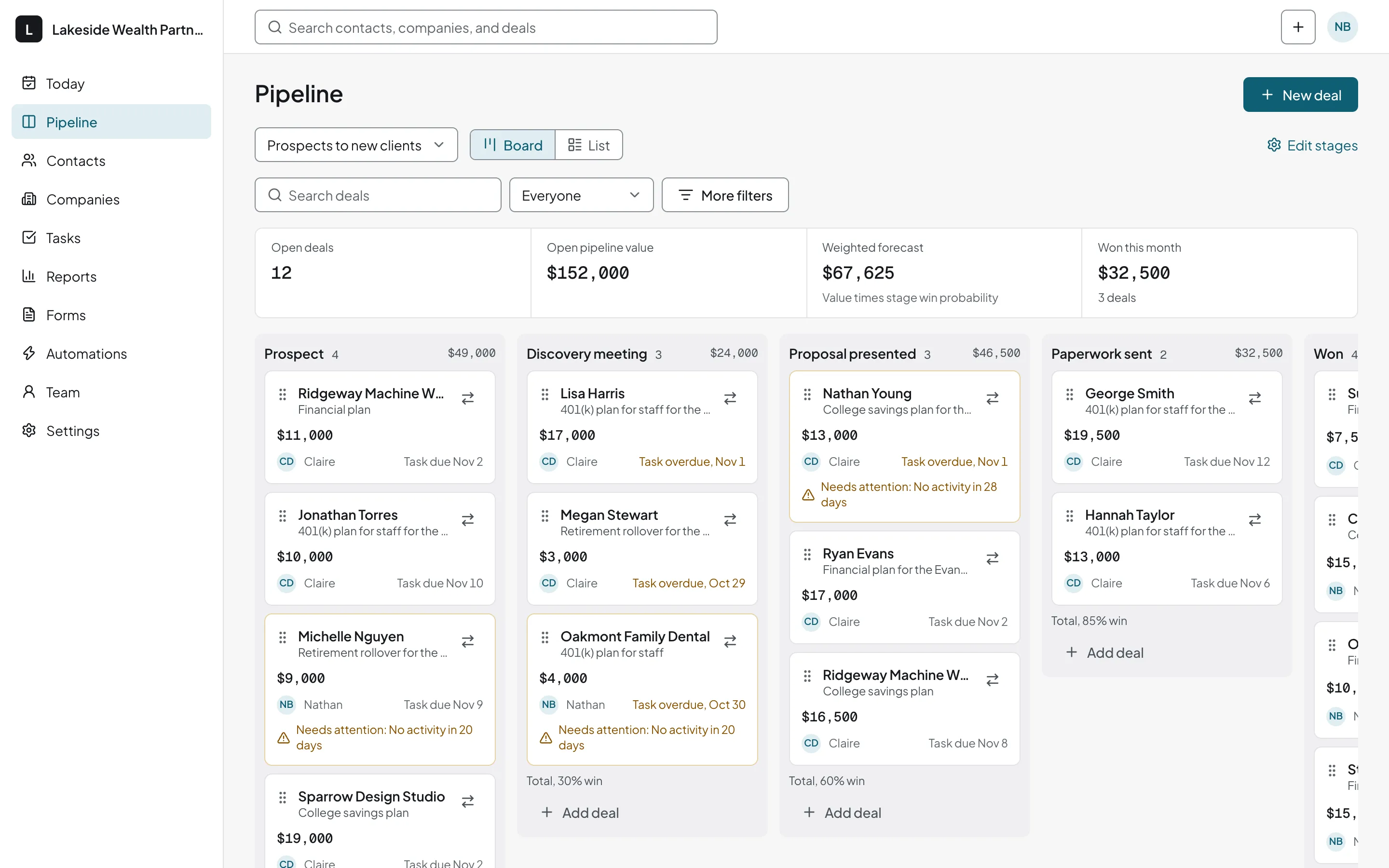
A financial planner CRM with a board for prospects, reviews, and referrals
As a CRM for wealth management and planning practices, honestcrm moves each prospect from Discovery meeting to Proposal presented to Paperwork sent, as in the screenshot above. A client's yearly review is a different kind of deal, so it has its own short board, and so do introductions from clients and CPAs.
- 1
Review due
- 2
Meeting booked
- 3
Follow-up due
- 1
Referred
- 2
Intro made
After the first meeting, the spouse decides
The discovery meeting goes well, and the prospect says they will talk it over at home. Three weeks later nobody remembers who was supposed to call.
A prospect at Proposal presented carries a task that says when to check in. The Today page lists what is due, overdue ones first, and the board shows how many prospects sit at each step.
Record the lead source on referrals, whether a client or a CPA made the introduction, and the totals show whose introductions turn into clients.
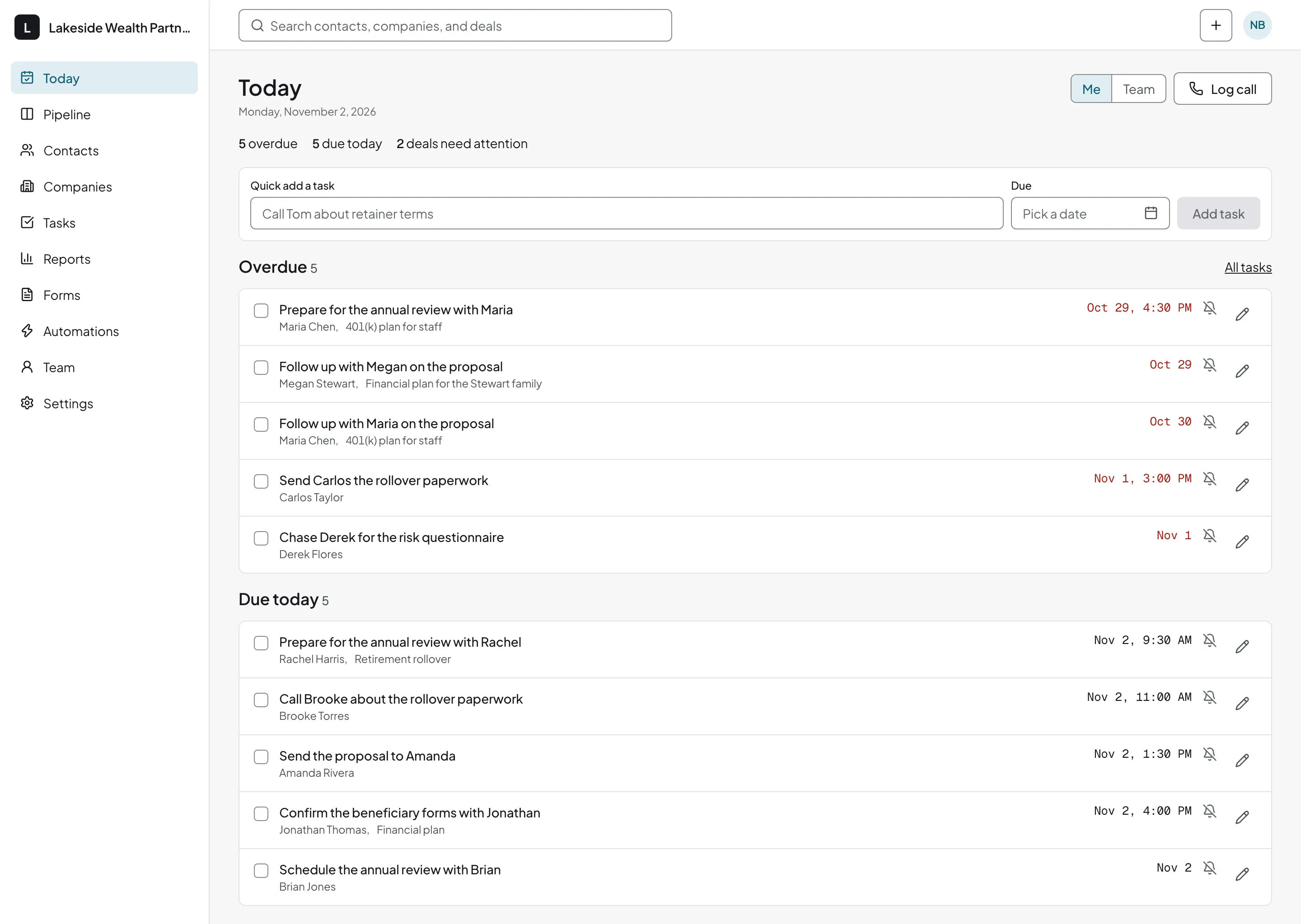
The yearly review, scheduled before it is overdue
Start by importing your client list from CSV, Excel, or Google Sheets, then add a custom field for each client's review month. Clients who are due go on the Annual reviews board with a task dated for the outreach.
The reminder fires on that date, and the next review gets its task as soon as this one ends.
A "request a meeting" form for your site
Whoever fills it in becomes a contact with a deal in your first stage, ready for a discovery meeting. The form is part of the Free plan.
Which email setup fits your mailbox
The CRM logs an email when the sender or recipient is already a contact.
Gmail, Google Workspace, Outlook, and Microsoft 365
Connect your mailbox to log email automatically and send from the CRM. To keep sending from Outlook, BCC or forward instead. See how to connect Gmail or Google Workspace.
Other mailboxes
Connect by IMAP and SMTP. The CRM logs emails to and from contacts on its own, and you can send from it.
Related pages: the insurance CRM, the accounting CRM, and contact management software.
Related guides
- How to build a sales pipeline
Name stages from first meeting to funded account and write the rule for leaving each.
Financial advisor CRM questions
Does honestcrm work with Outlook or Microsoft 365?
Yes. Connect your Microsoft 365 (Outlook) mailbox by signing in with Microsoft, and email to and from existing contacts appears on their timeline. You can send from the CRM, too. If you prefer to keep writing in Outlook, BCC your personal logging address or forward the message to it. See how to connect Outlook and Microsoft 365.
How do I track annual reviews?
Build an Annual reviews pipeline with stages such as Review due, Meeting booked, and Follow-up due. Give each client a task dated for the outreach. When the meeting is over, set the task for the same client twelve months out.
What does honestcrm cost for a financial advisor?
The Free plan costs $0 for unlimited users and unlimited pipelines. Pro costs $39 a month or $299 a year for the firm. See the pricing page or the CRM cost calculator.
Can I export my client list if I leave?
Yes. Contacts, companies, deals, notes, and tasks leave as CSV and JSON at any time, and the Free plan has the same export as Pro.