
CRM features that help your team follow up and close more deals
Pipelines, email, tasks, AI help, and reports in a cloud-based CRM with a login for everyone. For an overview, see the honestcrm home page.
Pipelines and deals
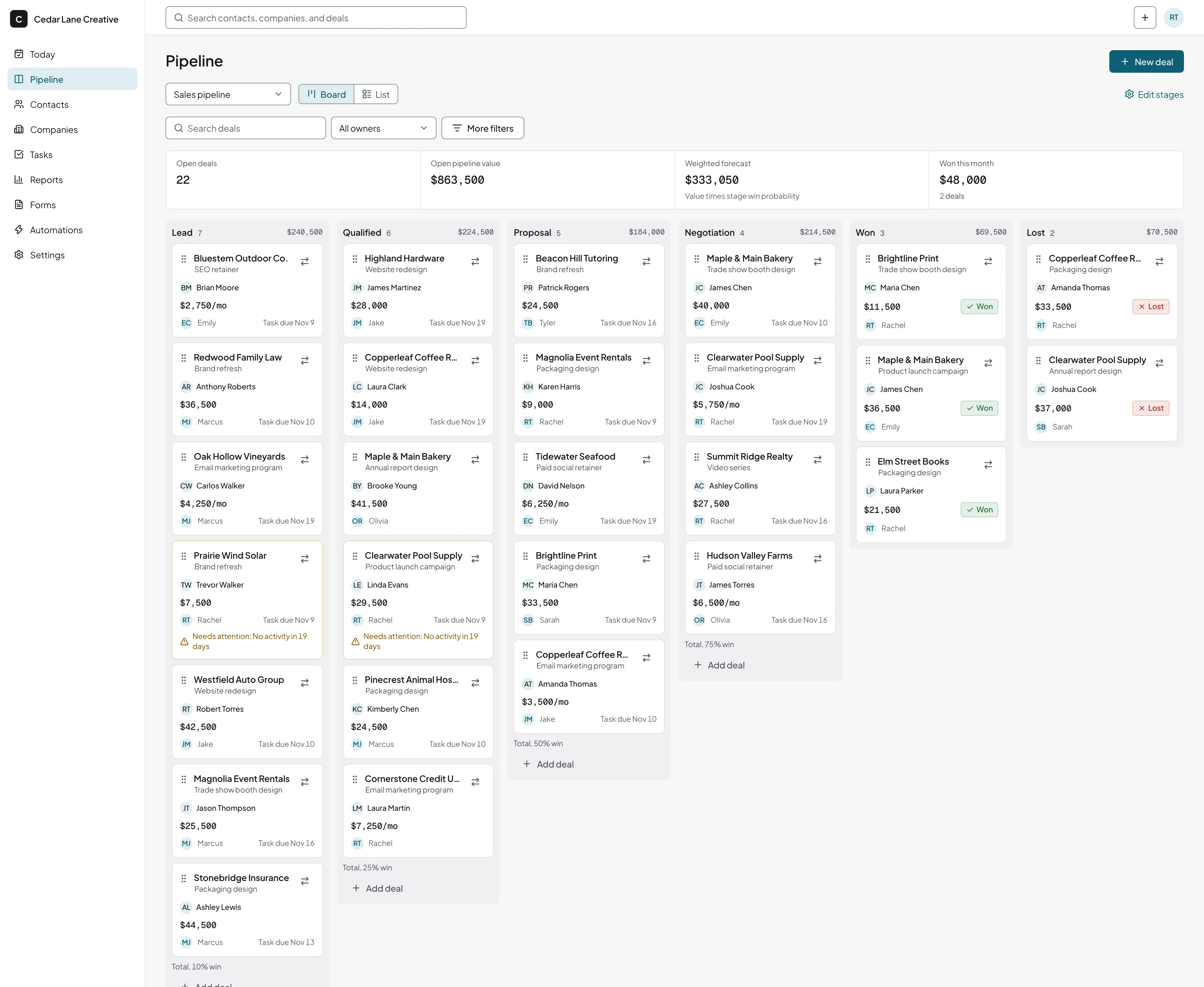
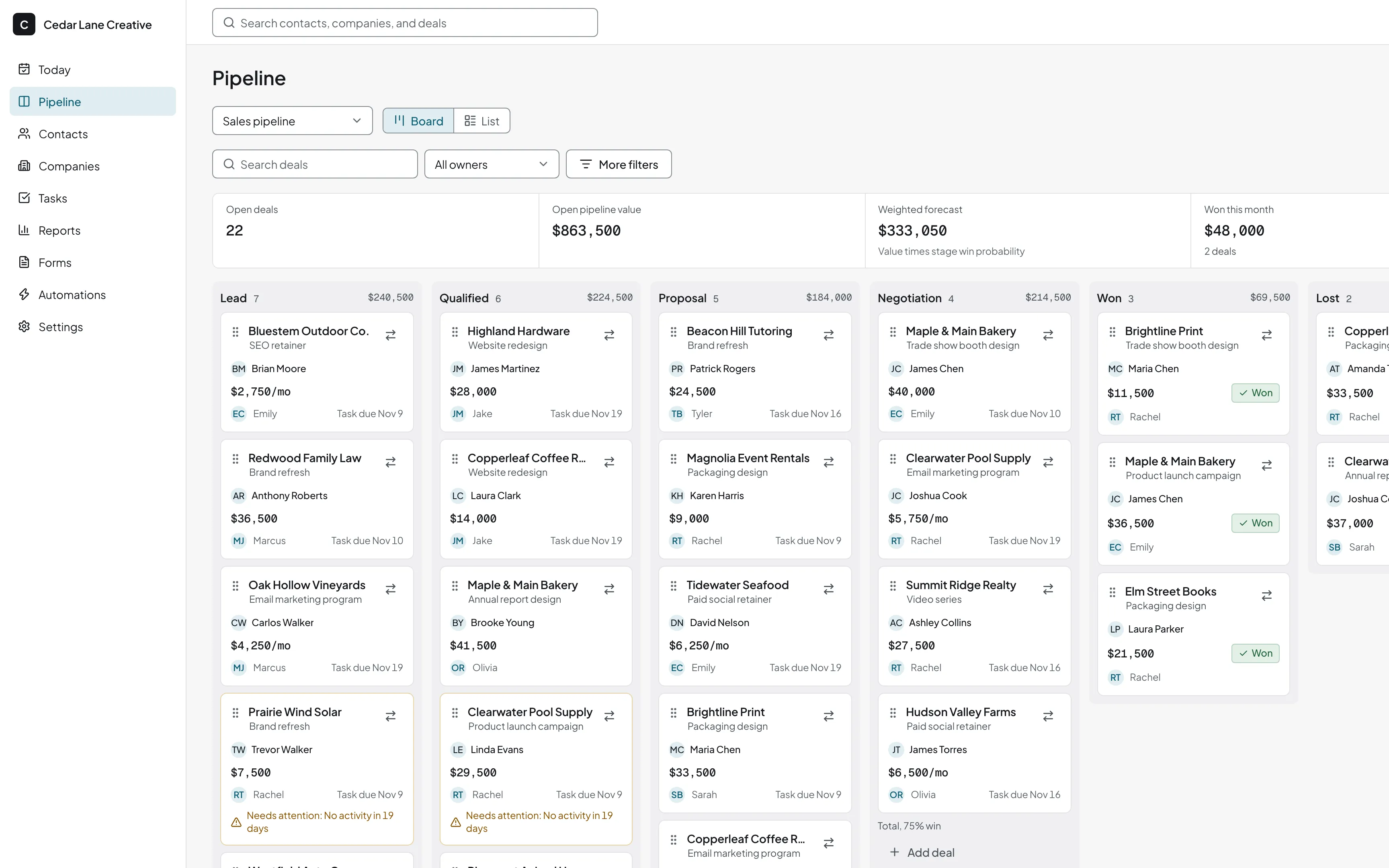
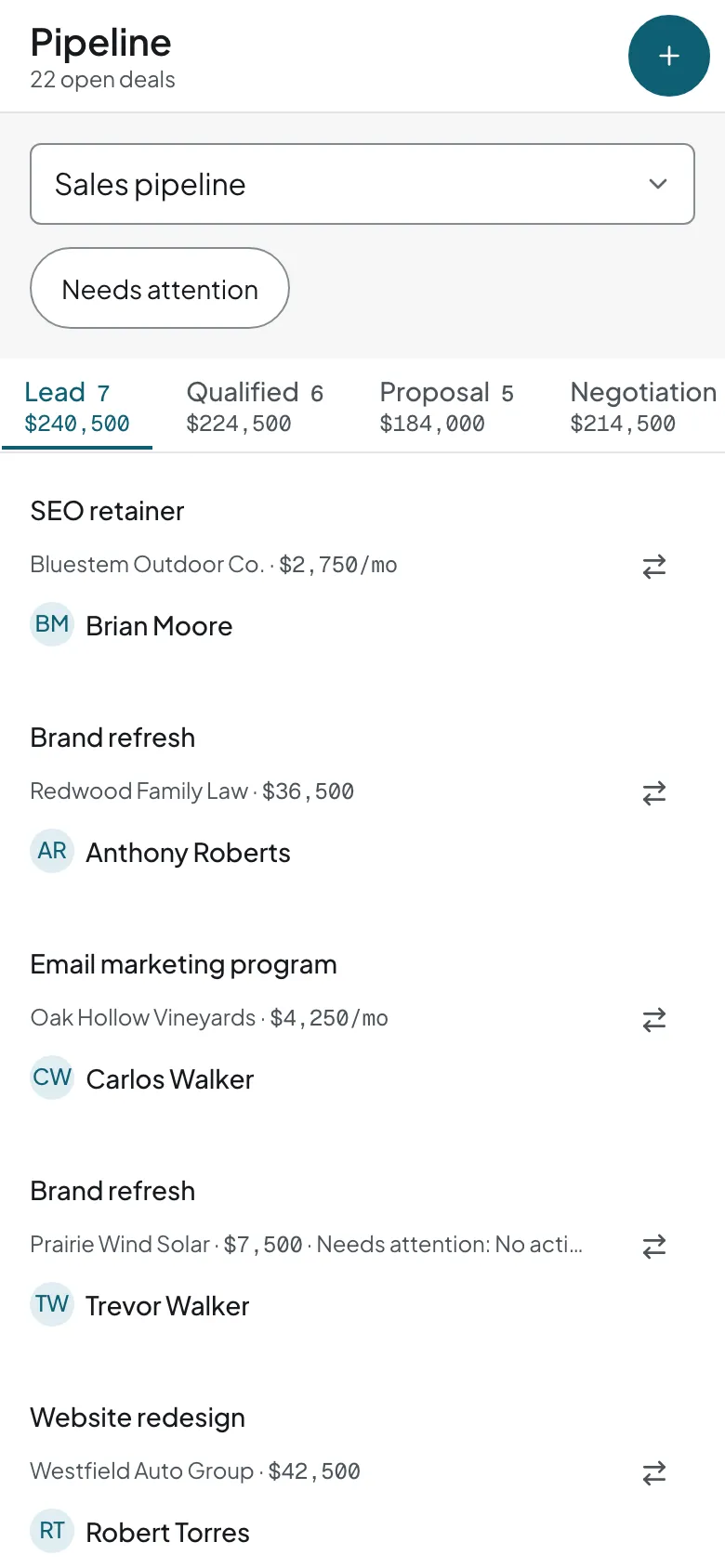
Know which deals need you today and which are worth the most. See every open deal on a board and drag it to the next stage. Create a pipeline for each kind of sale. There is no limit on how many.
- Custom stages, deal value, expected close date, and owner
- One-time or monthly deal values
- Won and lost reasons from a list you edit
- Pipeline templates for agencies, consulting, insurance, mortgage, manufacturing, and construction
Contacts and companies
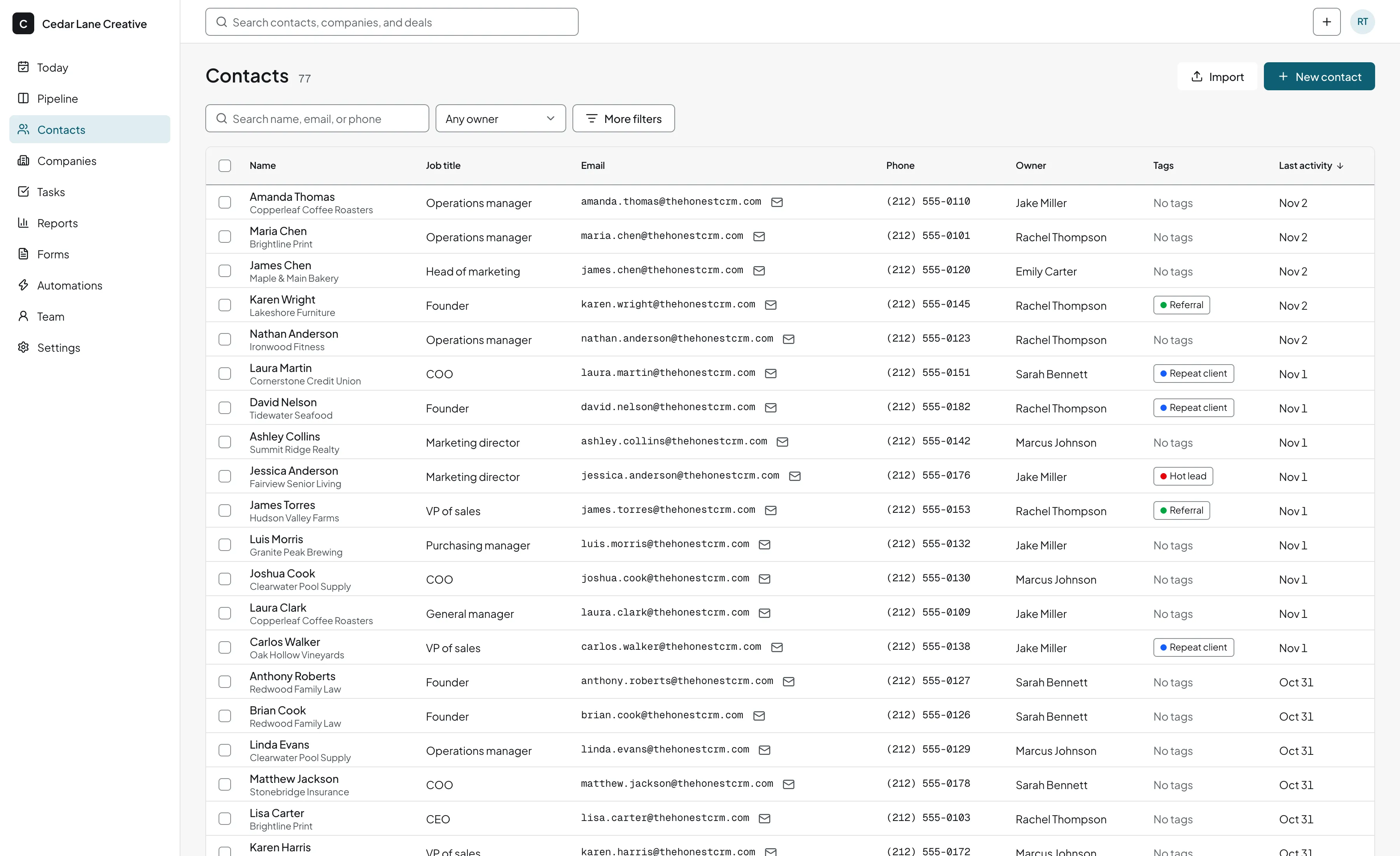
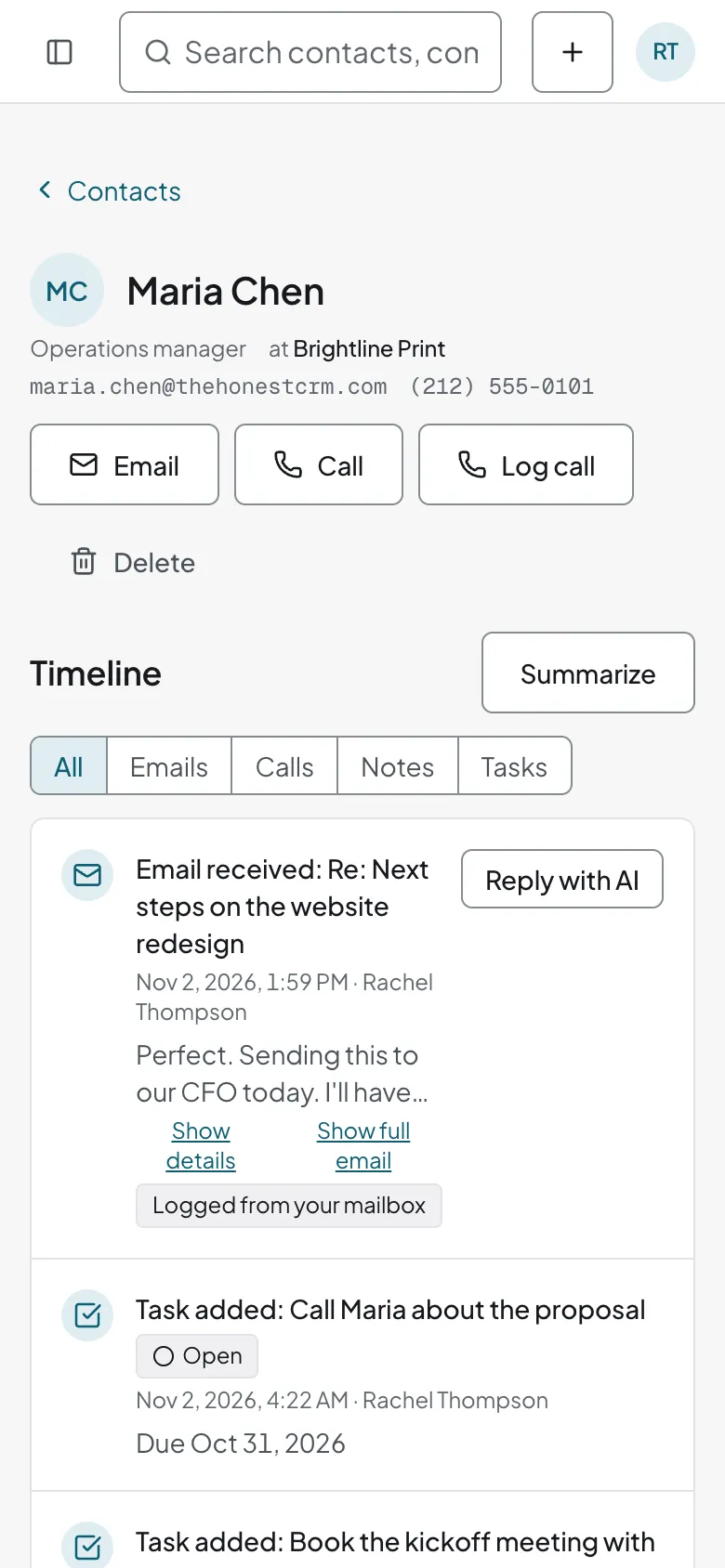
Anyone on your team can pick up a conversation where it stopped. Keep people and the companies they work for linked, with a timeline of every email, note, call, and task.
- Custom fields and tags
- Lead source on each contact and deal, set by web form, import, or hand
- Duplicate detection and merge
Email through your own mailbox
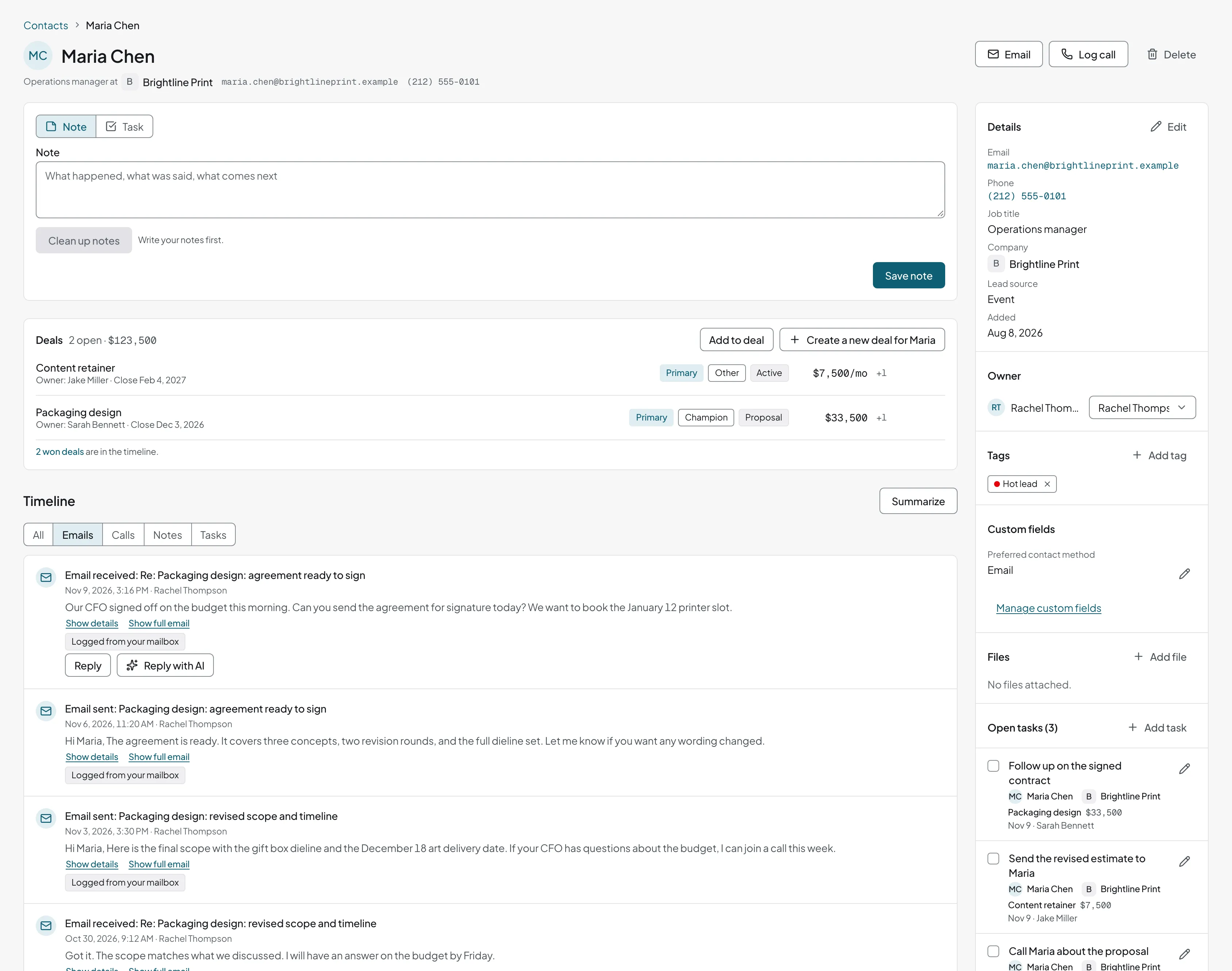
Emails go out from your own mailbox, so they reach inboxes the way your normal email does, and every reply is logged on the contact.
- Connect Gmail, Google Workspace, Microsoft 365 (Outlook), Yahoo, iCloud, Fastmail, Zoho Mail, GoDaddy, or a company mail server
- Log emails automatically when they're to or from an existing contact
- Log by BCC or by forwarding to your personal logging address
- Email templates, and email buttons that open your own email app
AI help, only where you click
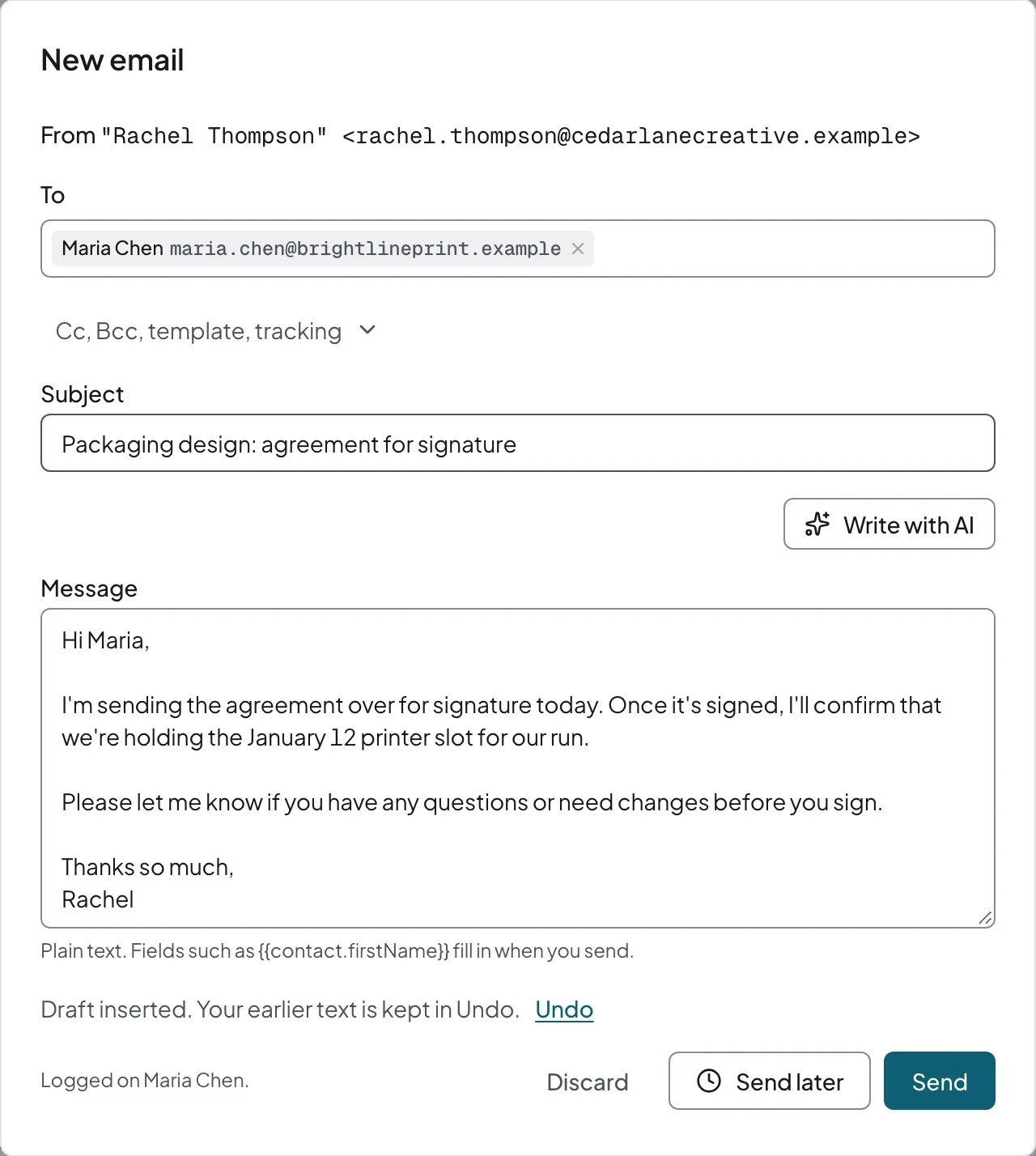
honestcrm's AI writes the email, tidies the notes, and suggests the follow-up tasks. Each button names what it does and runs only when you click it. You approve each result before anything is sent or saved.
- Write an email from a short instruction, change its tone, shorten it, or fix grammar
- Draft a reply from the last 3 to 5 logged emails with that contact, and see which emails it used
- Turn call notes into a clean note and suggested follow-up tasks
- Summarize a deal or a contact
- Fill contact fields from a pasted email signature
- Suggest import column mappings and pipeline stages, without using AI requests
- Describe an automation rule in plain English and get a draft rule
Web forms
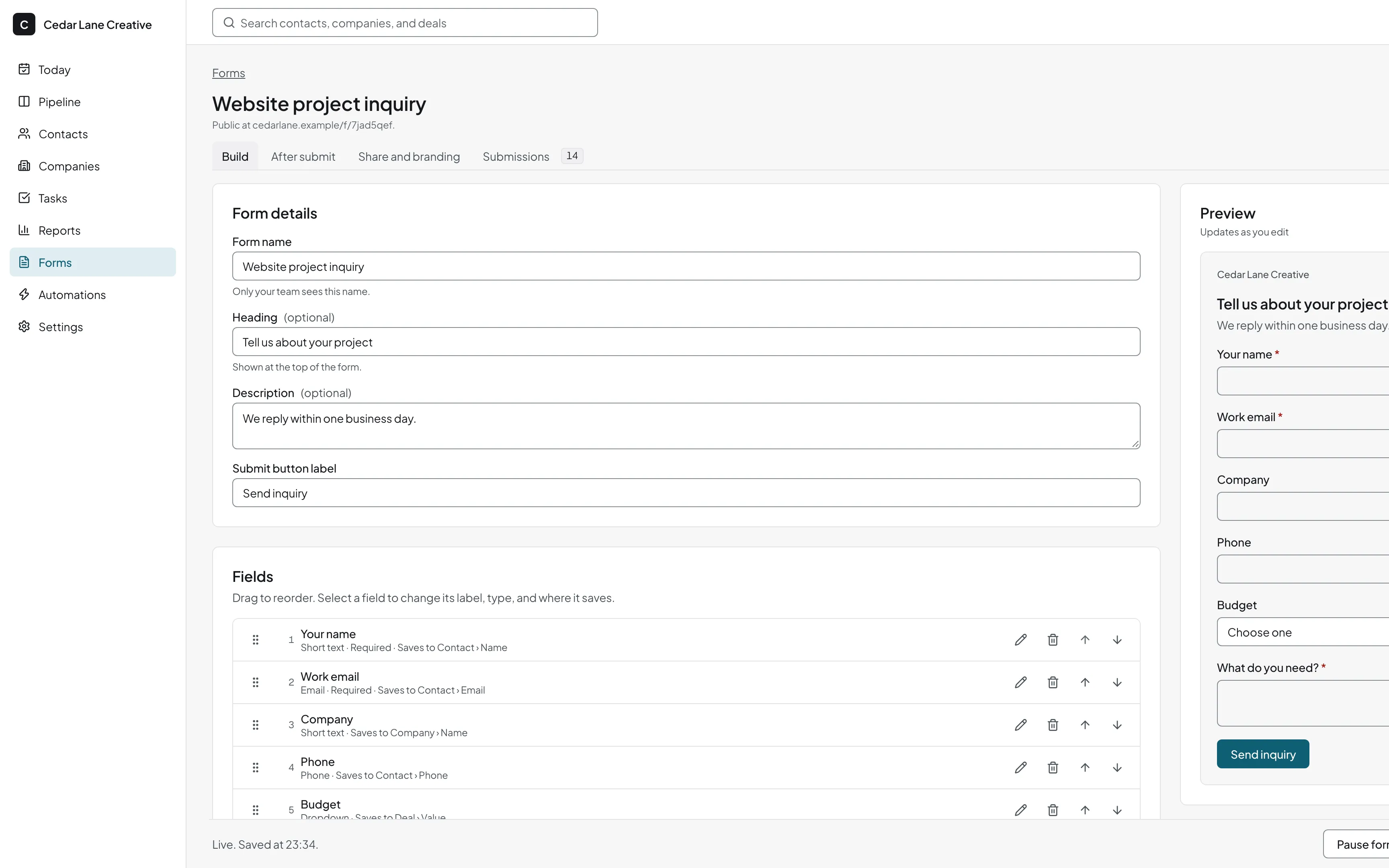
Every inquiry from your website reaches your pipeline. Put a form on your website and each submission creates a contact and a deal, with the lead source set.
- A live preview while you edit the form
- Bot protection on every form
Automations and integrations
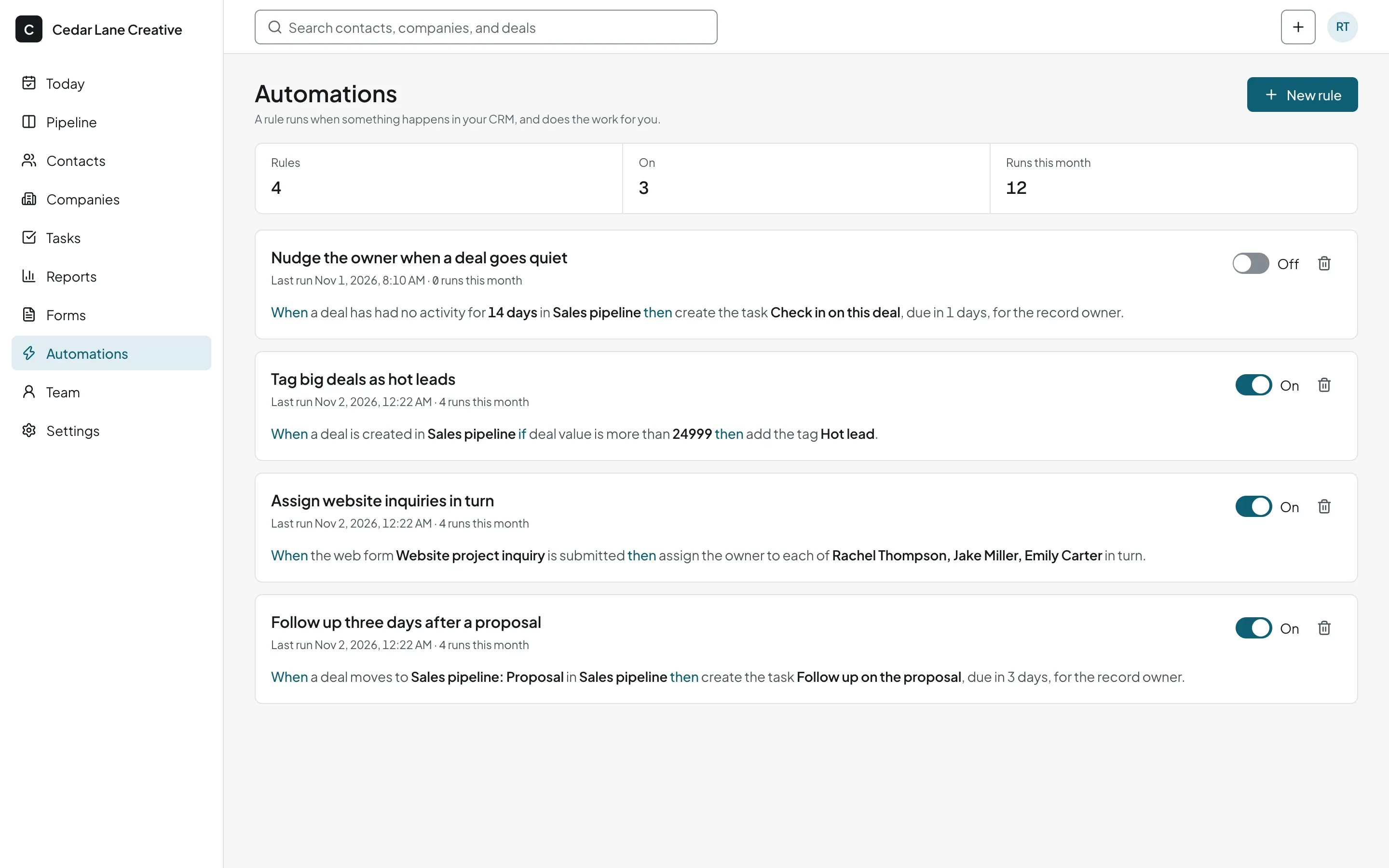
Rules assign new leads to an owner and create the first follow-up task. Connect the tools you already use with Zapier, Make, or webhooks.
- Webhooks, Zapier, and Make
- API access on every plan
- An MCP server that lets AI agents such as Claude Code and Cursor read and update your CRM
- Rules that move deals, create tasks, and assign new leads
Reports
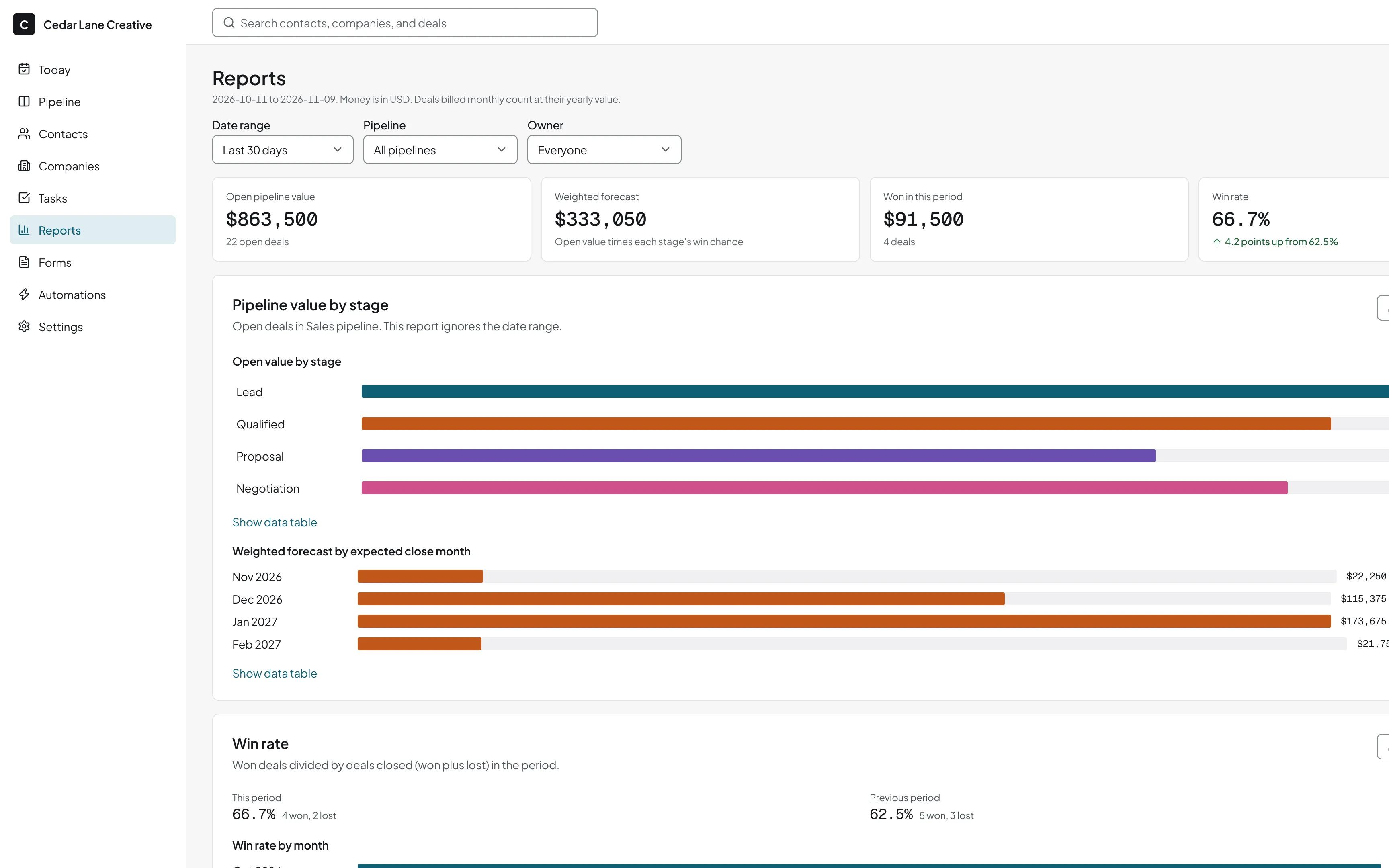
See what your pipeline will bring in and why you lose deals. Reports fill in from the deals your team moves and the activity it logs.
- Pipeline value and forecast
- Win rate, with won and lost reasons
- Activity for each teammate
Team and permissions
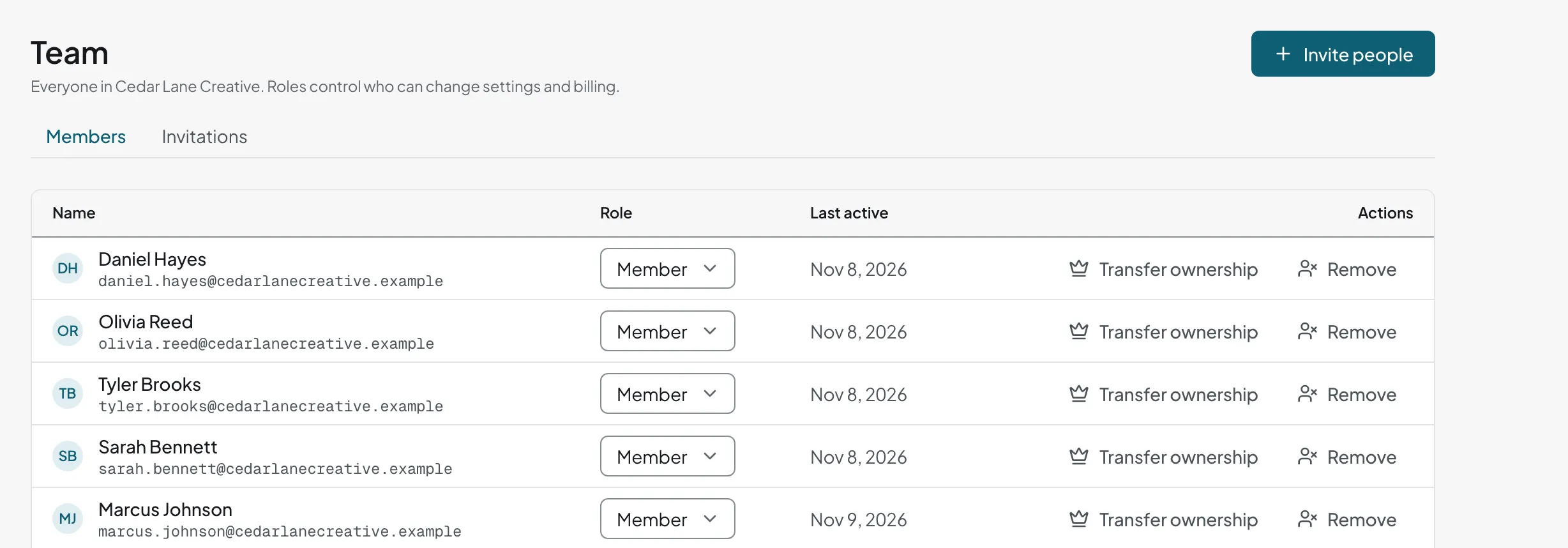
Add everyone who touches a deal. Users are unlimited on both plans, and everyone works from the same record.
- Owner, admin, and member roles
- Deal and contact owners
- Reassign a departing teammate's deals, contacts, and tasks in one step
- Advanced permissions, such as reps who see only their own deals, and team visibility rules
Import and export
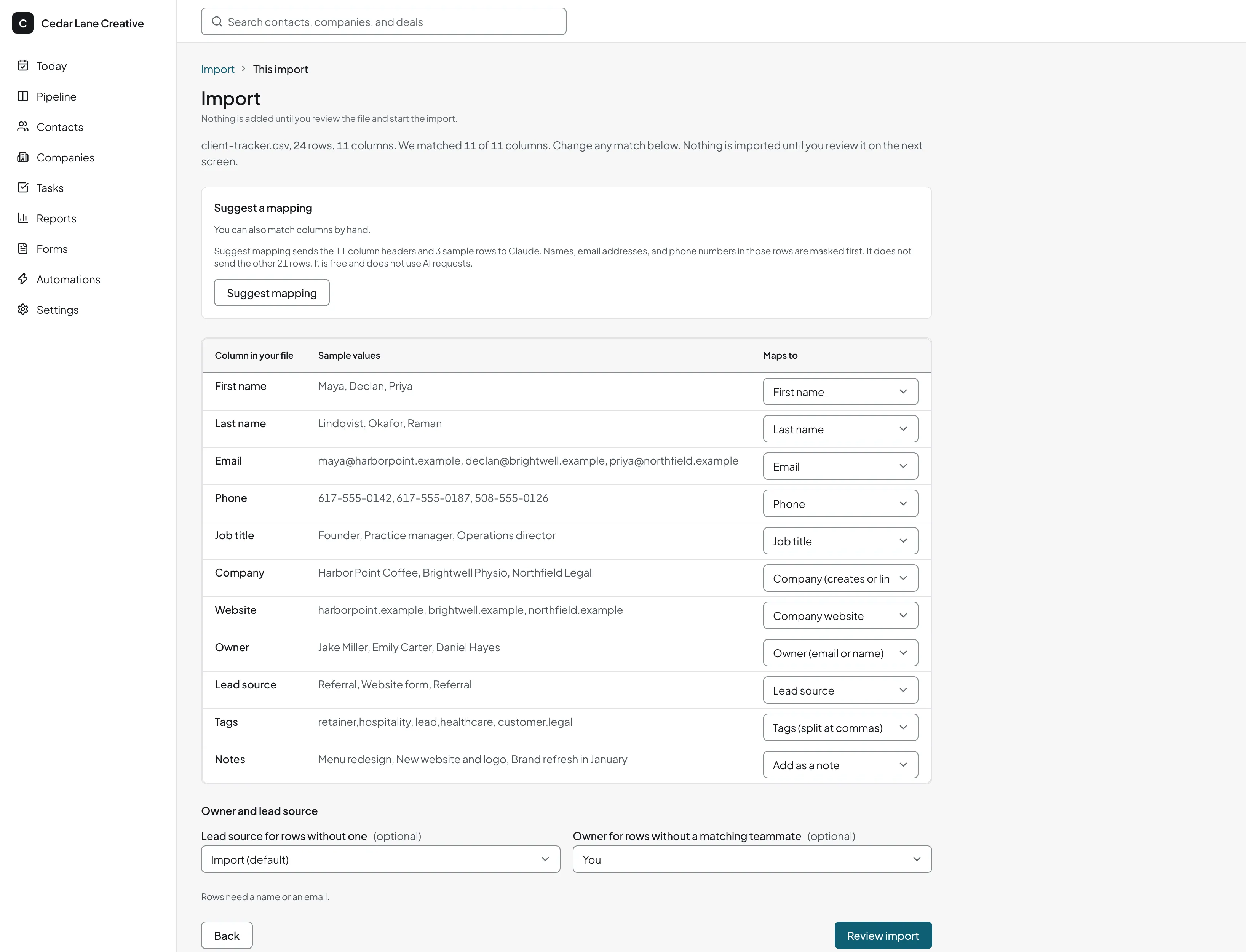
Import from a spreadsheet or another CRM without retyping. You can export all of your data at any time.
- Presets for Pipedrive, HubSpot, and Less Annoying CRM exports, including deals and notes
- CSV, Excel, and Google Sheets imports
- One-click export of all data to CSV and JSON, on every plan
On your phone
The web app runs in a phone browser, so you can check a deal or log a call between meetings.
- Log a call and its outcome
- Turn call notes into tasks with AI help
See every plan and limit on the pricing page.
Related guides
- How to build a sales pipeline
Stages, exit rules, and the three numbers to watch.
- Google Sheets CRM template
A free template and when to outgrow it.
- Flat-price CRM
What it is, and what a growing team pays on each CRM.