
Google Sheets CRM
A Google Sheets CRM template, and when to outgrow it
A Google Sheet works as a CRM when one or two people keep a short list of contacts. Download the free template below and add your contacts. When the sheet starts to lose follow-ups, import the same file into honestcrm, which has a free plan with unlimited users.
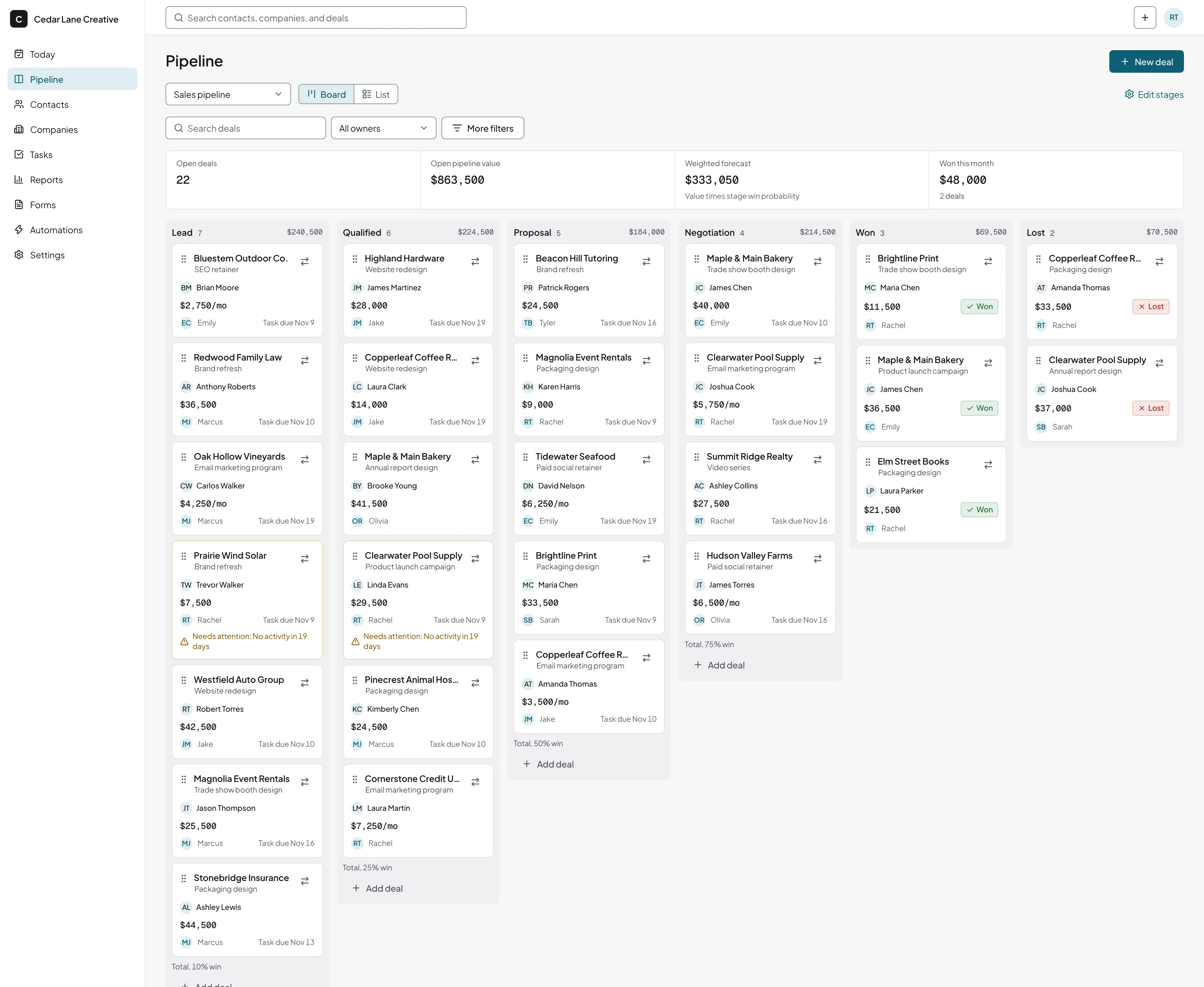
What is in the template
Fourteen columns and two example rows. In Google Sheets choose File, Import, Upload, and pick the CSV. The first 11 columns match fields in the honestcrm import, so nothing needs renaming later.
- First name, Last name
- One person per row. Never put two people in one cell.
- Email, Phone
- The email address is how the CRM later finds duplicates, so keep one address per cell.
- Job title, Company, Company website
- Type the company the same way every time. The website lets the CRM link people to one company.
- Owner
- The teammate who owns the relationship. Use their work email.
- Lead source
- Referral, website form, event, cold outreach. Pick from a list, not free text.
- Tags
- Short labels split by commas, such as customer or partner.
- Notes
- What was said, in one or two lines.
- Status
- New, Contacted, Proposal sent, Won, Lost. Use a dropdown.
- Last contacted, Next follow-up
- Real dates, not words. The follow-up date is the one column that keeps a sheet CRM alive.
Five settings that keep a sheet usable
- Freeze row 1, so the headers stay in view.
- Add a dropdown to Status, with Data, then Data validation.
- Highlight overdue follow-ups. Apply to the range, choose Format, Conditional formatting, a custom formula, and enter
=AND($N2<>"",$N2<TODAY()). - Count them anywhere with
=COUNTIF(N2:N,"<"&TODAY()). - Use Data, then Filter views, so each person sorts without rearranging the sheet for everyone else.
Where a Google Sheets CRM stops
Sheets handles lists well and follow-up poorly. Five things go wrong, in the order most teams meet them.
Sorting
Someone sorts one column and not the rest, and phone numbers sit beside the wrong names. Version history can undo it, if anyone notices.
Reminders
A sheet shows a date and does nothing about it. An Apps Script can email you, but it runs as the person who authorized it. If they leave or the permissions change, the reminders stop without a warning.
Email history
Nothing records the emails you send or receive. People paste them in for a week, then stop.
Duplicates
The same person is added in two rows with two statuses. Nothing flags it.
Access
Anyone who can edit can see and change every row. There are no roles for who sees which contacts.
Import the same sheet
Upload the sheet to honestcrm and check the column mapping. Each row becomes a contact or a deal with its owner, stage, and due date.
Move your sheet into a CRM in five steps
You keep the sheet. The import copies it, so you can run both for a while. After it, the team works on a board of deals with tasks, reminders, and logged email. Everyone gets a login, with no per-user charge. Connect a mailbox and email with your contacts is logged on their timeline. See how email logging works.
Pick the sheet
Keep contacts on one tab with the header in row 1. If you have a second tab for deals, it becomes a second import.
Import it directly or as a CSV
honestcrm imports from Google Sheets, CSV, and Excel. To use a file instead, choose File, Download, Comma-separated values in Sheets.
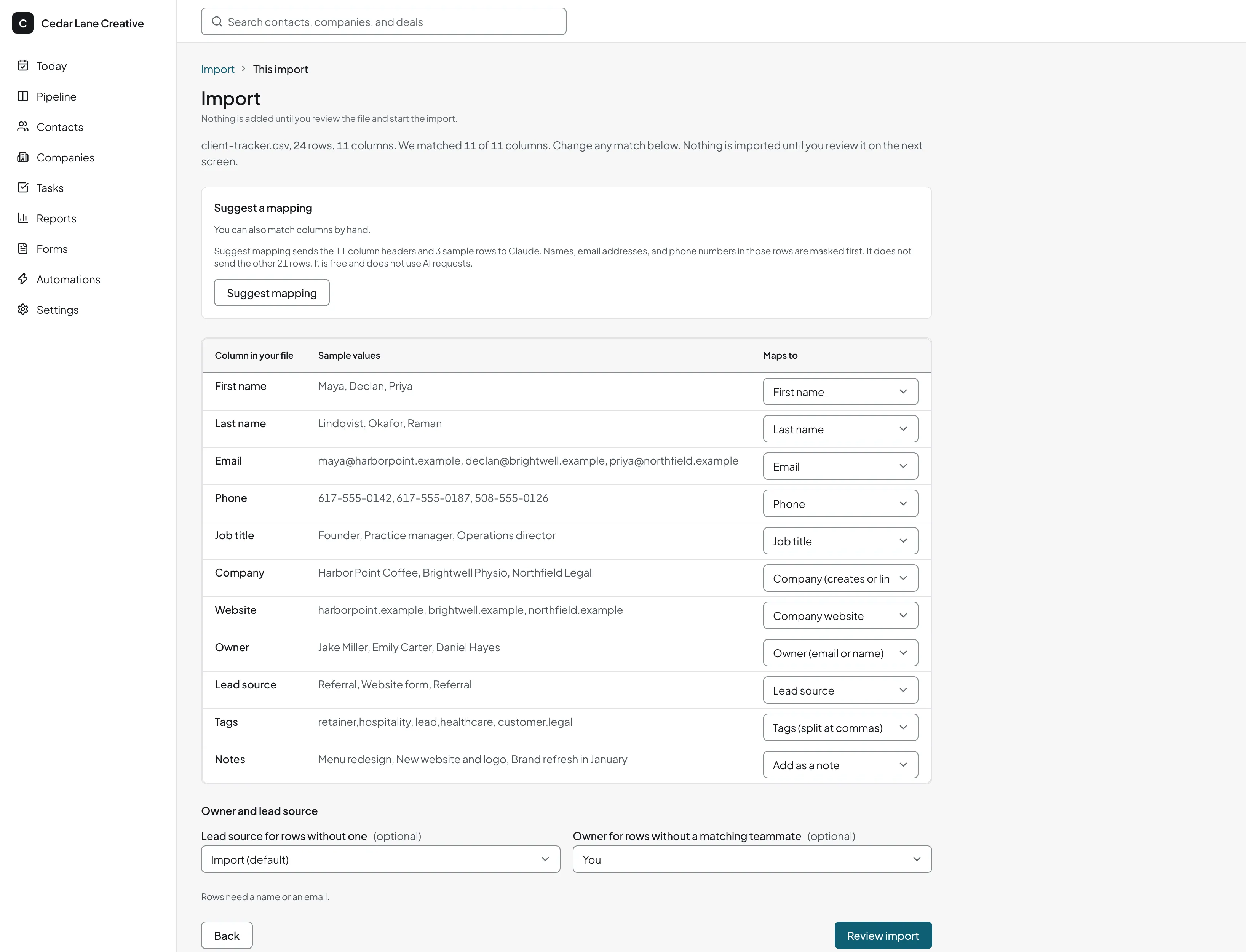
Map the columns
Open Import after you start free. Suggest mapping proposes a target for each column, and you can change any of them. It sees only column names and three sample rows with the values masked.
Send leftovers somewhere useful
Status and Next follow-up have no built-in contact field. Map them to custom fields you create first, add them as notes, or skip them.
Pick the duplicate rule and review
Contacts match by email address and companies by website. Choose skip, update, or create anyway. The import shows counts of errors and duplicates before it saves. Imported people get the lead source Import unless your sheet has one.
What it costs
Free covers unlimited users, unlimited pipelines, import, and export. Pro is $39 a month or $299 a year for the company. See the pricing page for details. Also coming from Notion or Airtable? We have guides for those too.
Google Sheets CRM questions
Can Google Sheets be used as a CRM?
Yes, for a short list and one or two people. Keep one row per person, use dropdowns for status, and add a Next follow-up date column. It struggles when the team grows, when reminders matter, or when you want the email history in one place.
How do I make a CRM in Google Sheets?
Download our free CSV template, open a new sheet, and choose File, Import, Upload. Then freeze row 1, add a dropdown on Status, and add a conditional-format rule on Next follow-up. The steps are above.
Where can I get a free CRM template for Google Sheets?
Here. The template has 14 columns and two example rows. Delete the examples and start typing, or paste in your own contacts. Because the columns match the honestcrm import, the same file moves into a real CRM later.
Is a Google Sheets CRM free?
A Google account is free, so a sheet costs nothing to start. Its cost is the time to keep it tidy and the follow-ups it misses. honestcrm's Free plan is also $0, with unlimited users.
Can I import a Google Sheet into honestcrm?
Yes. Import accepts Google Sheets, CSV, and Excel files. It suggests how your columns map, flags duplicates, and shows the counts before it saves anything.
Does honestcrm log my email?
Yes. Connect your Gmail, Google Workspace, or Microsoft 365 (Outlook) mailbox to log emails to and from your contacts and send from the CRM. You can also BCC or forward messages to your logging address. Logging starts when you connect.
My sheet tracks deals as well. Can I import those?
Yes, as a second file. A deals import maps the deal title, value, expected close date, pipeline, stage, status, company, and contact. See the sales tracker page for a deal-level template.
Import your sheet and keep your columns
Upload your sheet and check the column mapping. Free for every user. No card required.
Start for free