
Notion CRM
A Notion CRM works until someone has to follow up
A Notion database is a fine CRM for one person with a short list of contacts. It stops being one when a team shares it, when you want the email history on each contact, or when a missed follow-up costs a sale. Our free CSV template moves the data from Notion to honestcrm in one import, with the first 11 columns matching its fields.
What Notion does well as a CRM
Notion is a set of databases you shape yourself. A Contacts database, a Companies database, and a Deals database, joined by relations, is the usual CRM setup. A board view groups deals by stage, and a table view sorts them by date.
It is free to start, it sits next to your meeting notes and plans, and you decide every field. If you sell to a few dozen people and you are the only one editing, that is often enough.
A setup that holds up
- One row per person, with the email address in its own property.
- A Status select with five stages or fewer.
- A Next follow-up date, with a view that lists it in date order.
- Company as a relation, not typed text, so you can find everyone at one firm.
Where a Notion CRM stops
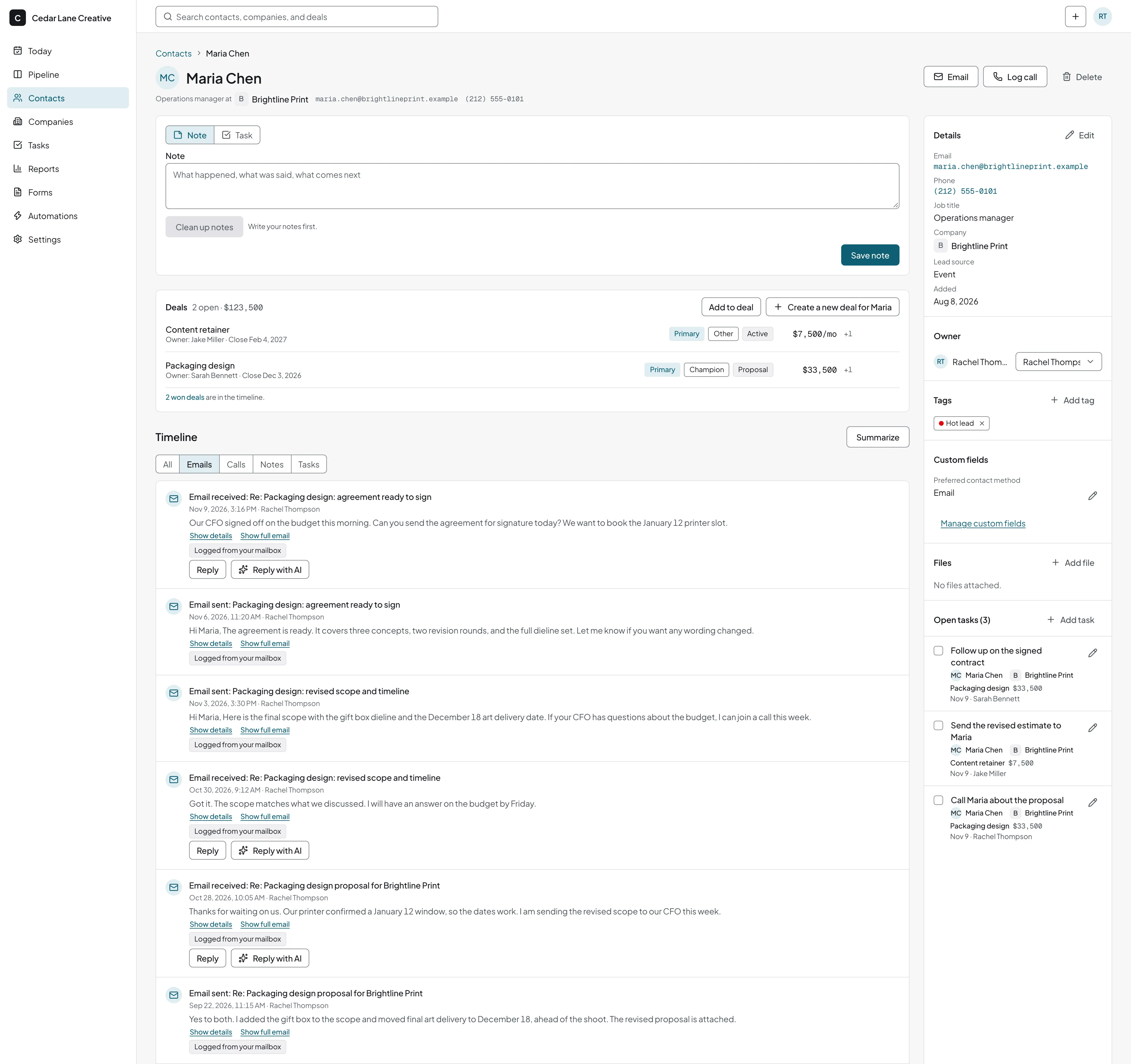
| In a Notion database | In honestcrm | |
|---|---|---|
| Reminders | A date property. Someone has to set it after every call, and nothing nudges you when you forget. | A task with a due date and a reminder, on every contact and deal. |
| Email history | Paste it in or link to it. Nothing records the emails you send. | Logged on the contact's timeline by BCC, forwarding, or a connected mailbox. |
| Pipeline totals | Rollups and formulas that you build and repair when a property changes. | Pipeline value, forecast, and win rate on the Reports page. |
| Who owns it | The person who built the databases, usually the founder. | Roles for owner, admin, and member. Nothing to rebuild. |
The last row is the main risk. A Notion CRM needs someone to maintain it, and when that person gets busy, the data goes stale first.
A free CSV starter that maps cleanly
The file has 13 columns: first name, last name, email, phone, job title, company, company website, owner, lead source, tags, notes, status, and next follow-up. The first 11 match fields in the honestcrm import. Import it into a Notion database to start one, or into honestcrm to skip Notion.
Status and next follow-up have no built-in field on a contact. Map them to a custom field you create first, add them as a note, or skip them. Delete the two example rows before you import.
Download notion-crm-template.csvMove your database in five steps
Export each database as CSV
Open the database, use the menu next to its name, choose Export, and pick CSV. Do this once for contacts, once for companies, and once for deals if you track them. A relation column exports as the names of the linked pages.
Clean the file in a spreadsheet
Put one person on each row. Put the email address in its own column. Delete rows you no longer need.
Upload it in honestcrm
Start free, open Import, and upload the CSV. One file fills one kind of record: contacts, companies, deals, or notes.
Check the column mapping
The Suggest mapping button proposes where each column goes, and you can change any of them. It sends only the column names and three sample rows with the values masked.
Choose how to treat duplicates, then review
Contacts match by email address and companies by website. Pick skip, update, or create anyway. The import checks the file first and shows counts of errors and duplicates before it saves anything.
What you get after the import
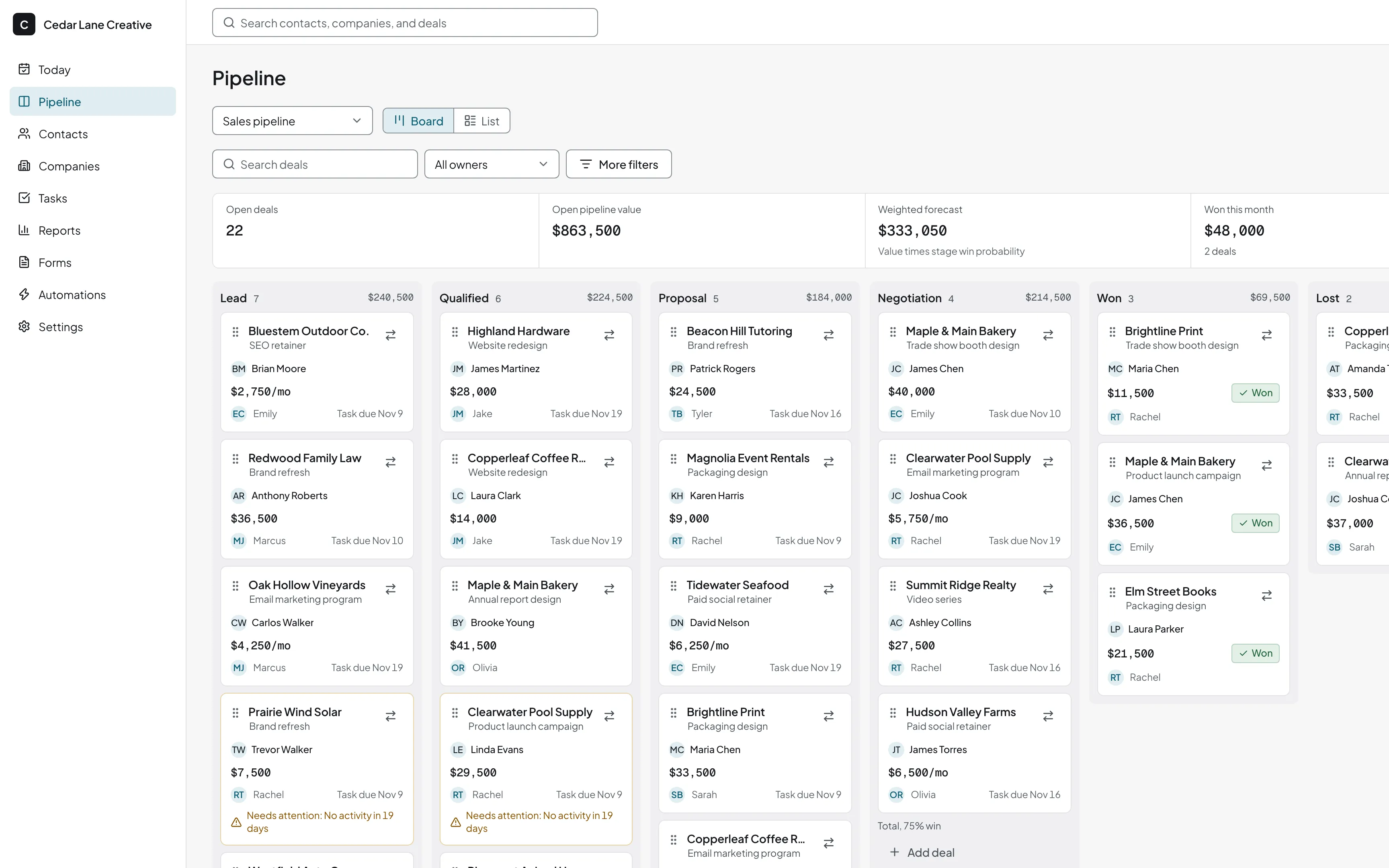
A board from your deals file
Import a deals file and its stage names become stages, or you map them to stages you already have. Pipelines are unlimited.
Email on the timeline
Connect a mailbox and messages with existing contacts are logged. Or BCC or forward a message to your logging address. How email logging works.
Everyone gets a login
Users are unlimited with owner, admin, and member roles, so adding a hire is not a billing decision.
What it costs
The Free plan has unlimited users and unlimited pipelines, with import and export included. Pro costs $39 a month or $299 a year for the company. See the pricing page for plan details. To compare against the tools you pay for now, use the CRM cost calculator.
Contacts, companies, deals, notes, and tasks export to CSV and JSON, so you can go back to Notion if it suits you better. Coming from another tool? See the guides for Airtable and Google Sheets.
Related guides
- How to build a sales pipeline
The pipeline view Notion boards cannot calculate for you.
Notion CRM questions
Can Notion be used as a CRM?
Yes, for a small list. A contacts database with a Status property and a board view covers a solo founder with a few dozen contacts. It gets harder when several people edit it, when you want email history on each contact, or when reminders matter.
Is Notion good for CRM with a team?
It can be, if one person owns the setup. Notion's paid plans are billed per member, and every change to a property, a relation, or a view is work for whoever built it. honestcrm has unlimited users on the Free plan.
Is there a free Notion CRM template?
Many exist, from Notion and from sellers. Our CSV starter is not a Notion template. It is a file you can import into a Notion database or into honestcrm, with columns that map straight across.
Will my Notion relations and views come across?
No. A CSV carries the data only. Relation columns arrive as text with the linked names, and you map them to the company or contact column. Views, formulas, and rollups do not move. Pipelines and boards are built in honestcrm.
Can I keep Notion for notes and docs?
Yes, and many teams do. Notion is good for meeting notes, plans, and wikis. Keep those there and keep contacts, deals, and follow-ups in the CRM.
Keep Notion for notes and your customers in the CRM
Export your Notion database as CSV and import it. Free for every user. No card required.
Start for free