
Sales tracker
A sales tracker that follows every deal without a spreadsheet to maintain
A spreadsheet sales tracker works only when someone remembers to update it, and a deal with no next step goes quiet.honestcrm is free sales tracking software. Every deal gets a follow-up date, and the forecast is calculated for you.
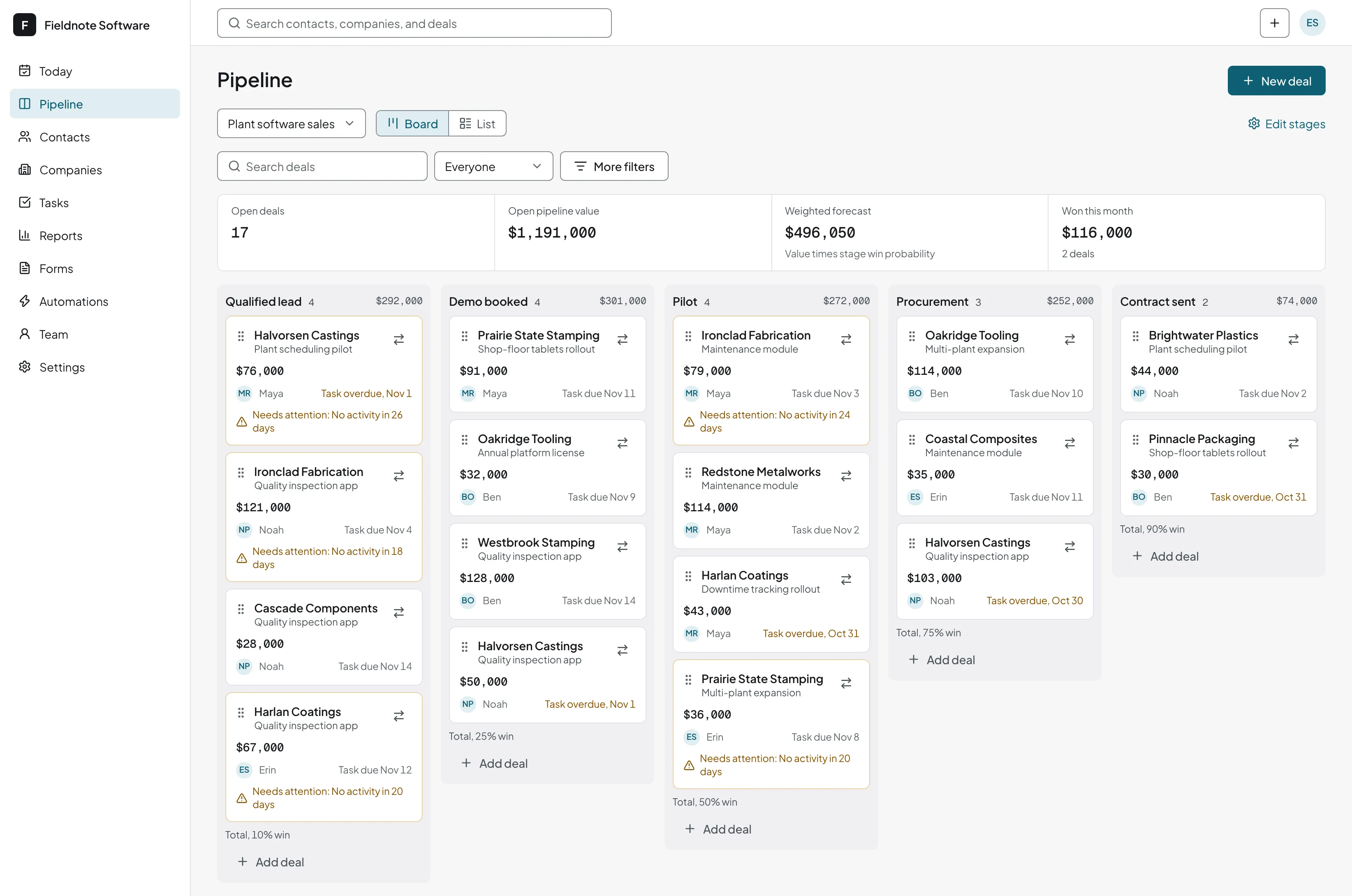
A spreadsheet tracker and honestcrm, side by side
| You want to | In a spreadsheet | In honestcrm |
|---|---|---|
| See every open deal by stage | Filter and sort rows by hand | A board you drag deals across |
| Remember to follow up | A calendar entry, if you add one | A task with a due date and a reminder |
| Keep the email history | Paste it in, or lose it | Logged on the deal's timeline |
| Forecast the month | Write and maintain the formulas | Pipeline value and forecast, calculated for you |
| Know why you lost | A notes column nobody fills in | A won or lost reason picked from your list |
| Let the team work together | One person owns the file | Unlimited users, each with their own login |
Move your tracker over in three steps
Upload the sheet
CSV, Excel, or Google Sheets, with a row for each deal.
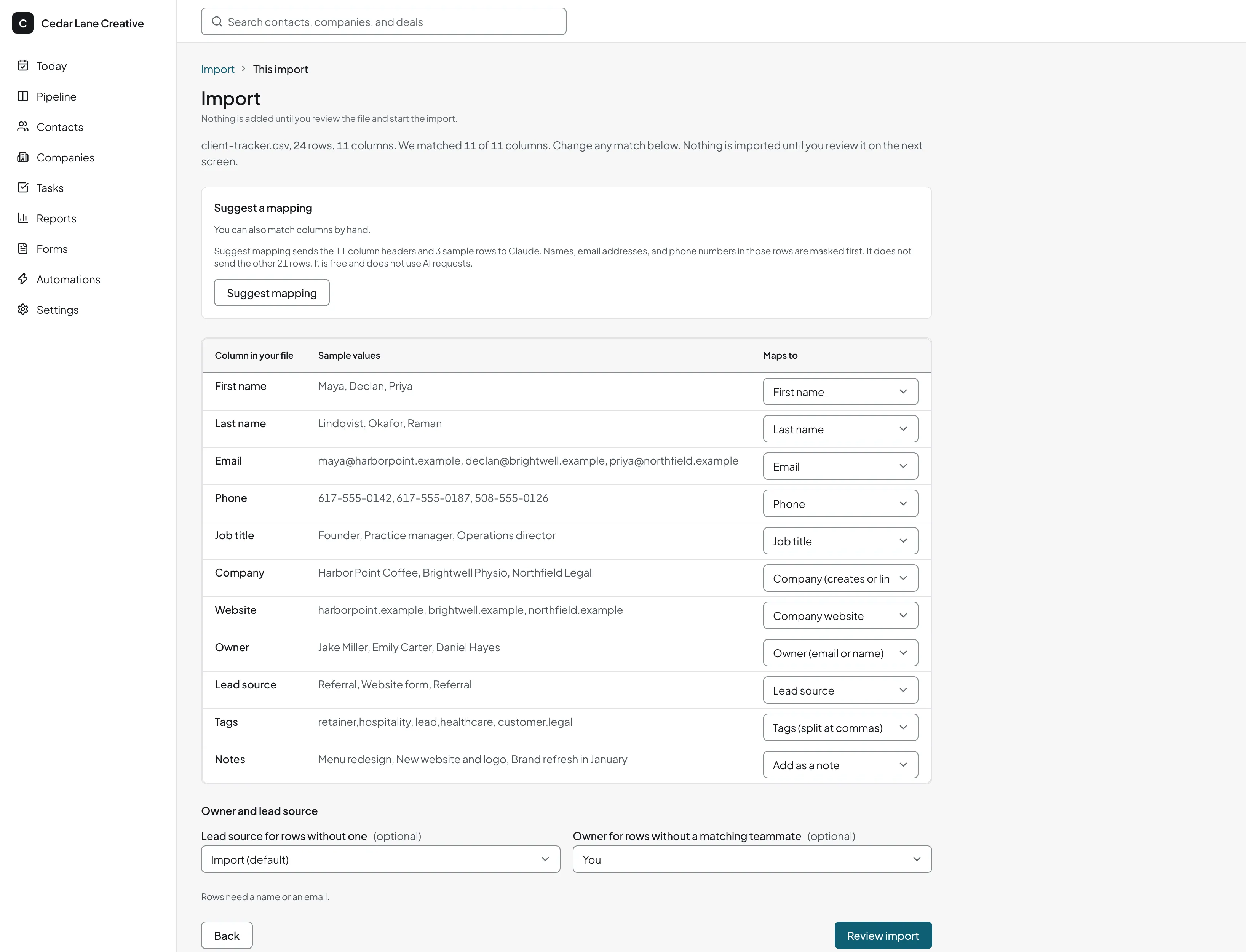
Check the column mapping
The import suggests a match for each column. You change any that are wrong.
Review the duplicates
Repeated customers are flagged, and you merge them before anything is saved.
No tracker yet? Download the template and fill it in. When you upload it, the import suggests the column mapping.
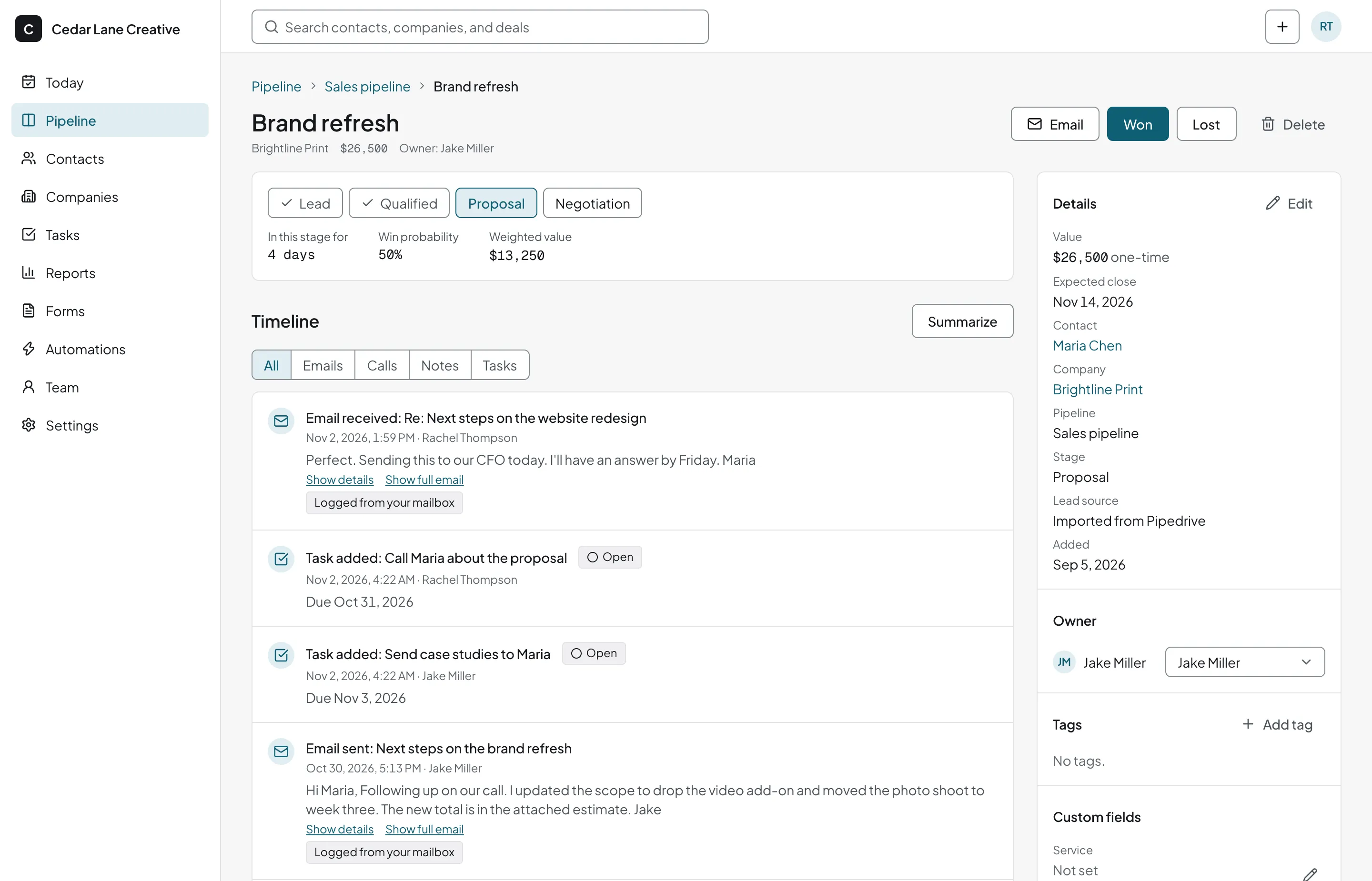
What each deal records
- A value, one-time or monthly
- An expected close date
- An owner on your team
- Where the lead came from
- Why it was won or lost
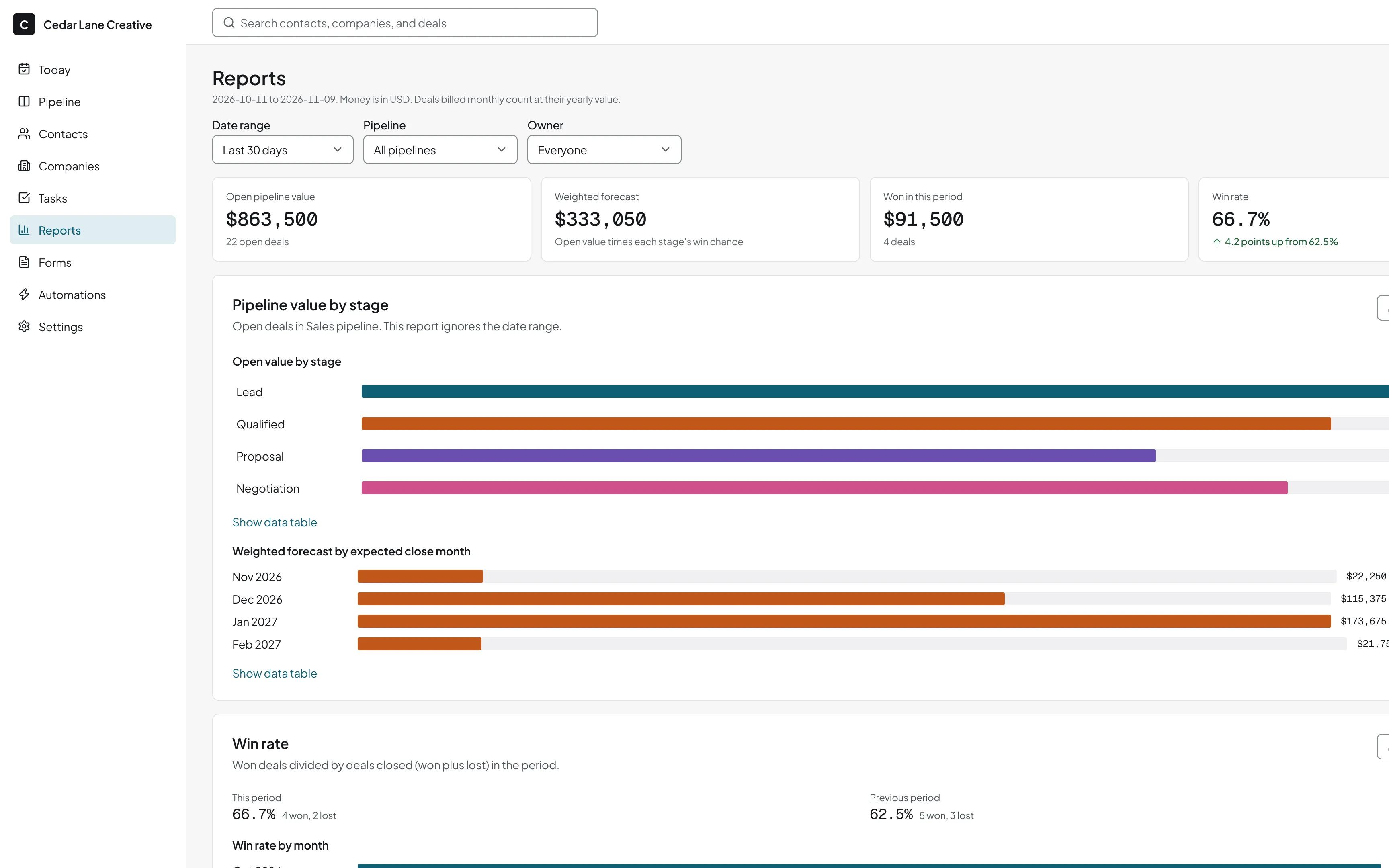
Pipeline value, forecast, and win rate reports
The reports page shows pipeline value and forecast, your win rate with its reasons, and the activity of each teammate. They update as the team moves deals, so you do not build a summary sheet each Friday.
See the reportsRelated guides
- How to build a sales pipeline
Pick stages for your tracker rows and the numbers to read weekly.
- Google Sheets CRM template
The same layout for contacts, if your list needs its own sheet.
Sales tracking questions
How do I track sales in a spreadsheet?
Give each deal a row and add columns for the customer, deal value, stage, expected close date, owner, and lead source. Update the stage as the deal moves. Download our free tracker template for a starting layout. Once the sheet gets long, or more than one person edits it, a CRM board is easier to keep honest.
What is the difference between a sales tracker and a CRM?
A sales tracker records deals and where they stand. A CRM does that and also keeps the contacts, emails, notes, and tasks behind each deal. honestcrm is a CRM, and its pipeline board works as a sales tracker for teams that outgrew a sheet.
Can I import my tracker?
Yes. Upload the sheet as CSV, Excel, or Google Sheets. The import suggests which column holds the deal value, stage, and close date, and you correct any wrong match before it saves.
What does a deal record?
A value, which is either a one-time amount or a monthly amount, plus an expected close date, an owner, a lead source, and a won or lost reason when it closes. To record what a deal sells, add a custom field such as Service.
Is the sales tracker free?
Yes. The Free plan includes pipelines, deals, tasks, and reports for unlimited users.